

ことばで、家計に聞く
画面の真ん中にいる「きく」をタップして、「外食、いくら使った?」——そう打ち込んして、返事が届きます。
それだけで、ぽけいぼがあなたの明細から答えを返します。むずかしい操作も、メニューを探すこともいりません。ふだんのことばを、お金の質問に変える。それが「きく」です。
そして何より大切なのは、その答えがどこにも送られないということ。質問の読み取りも、数字の集計も、すべてあなたの端末の中で完結します。ネットワークは使いません。あなたの取引が、私たちのサーバーに渡ることはありません。
実は私たちサーバーを持てないです。Pokeiboアプリがしかありません -_-
いろいろな聞き方ができる
「きく」は、ひとつの決まった言いまわしだけでなく、暮らしの中で自然に浮かぶ質問に答えます。
- いくら使った?——期間・カテゴリ・お店でしぼった合計
- いつ買った?——特定の買いものを探す
- 何回行った?——回数をかぞえる
- カテゴリ別の内訳は?
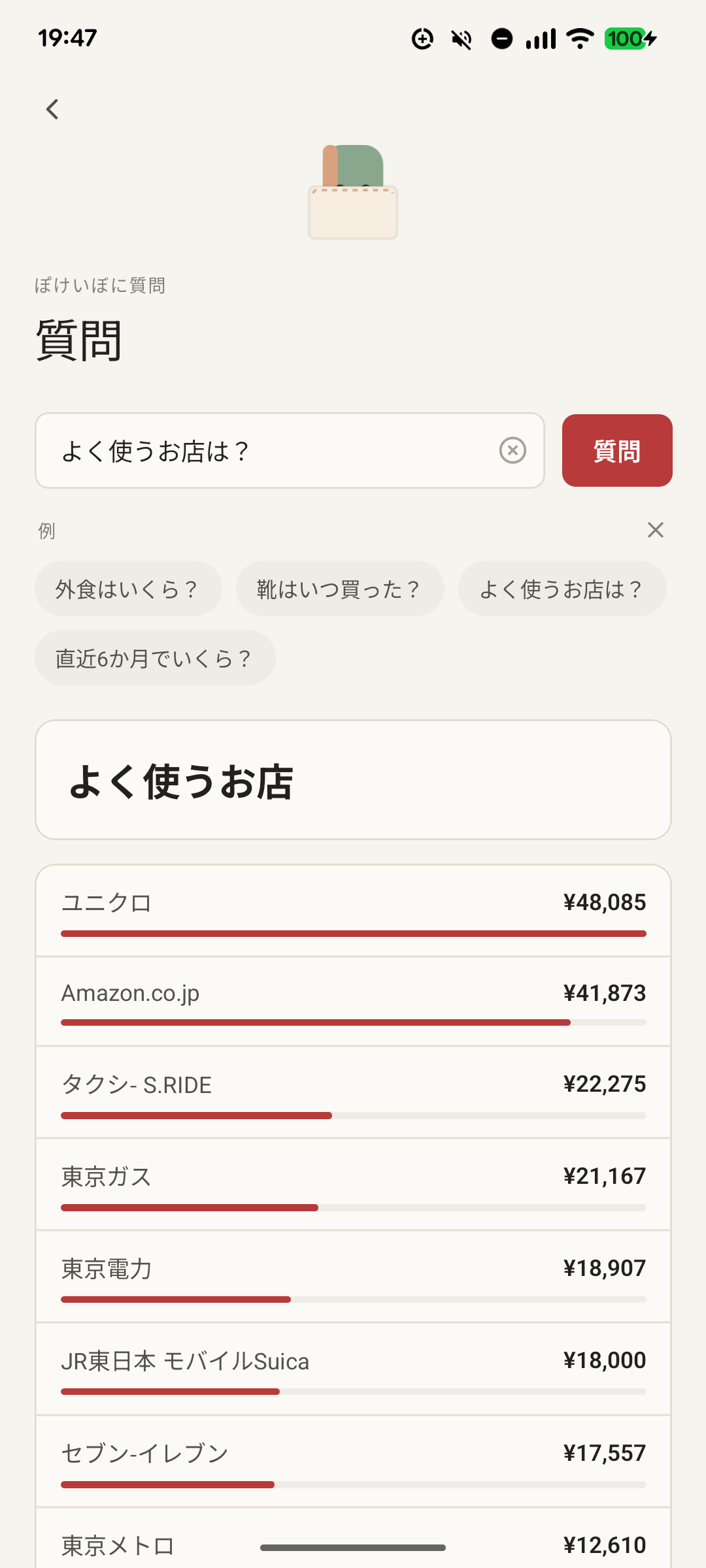
- よく使うお店は?——支出の多い順に
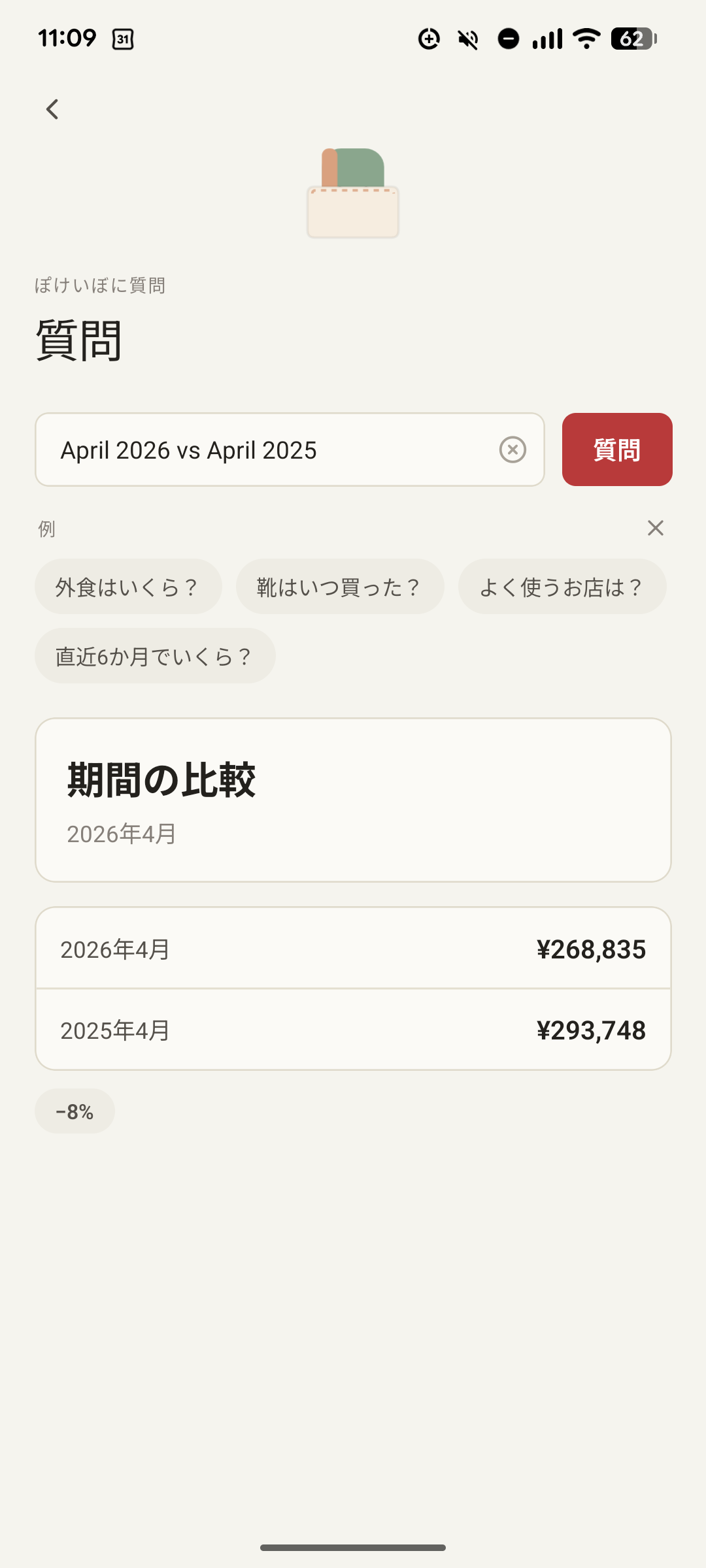
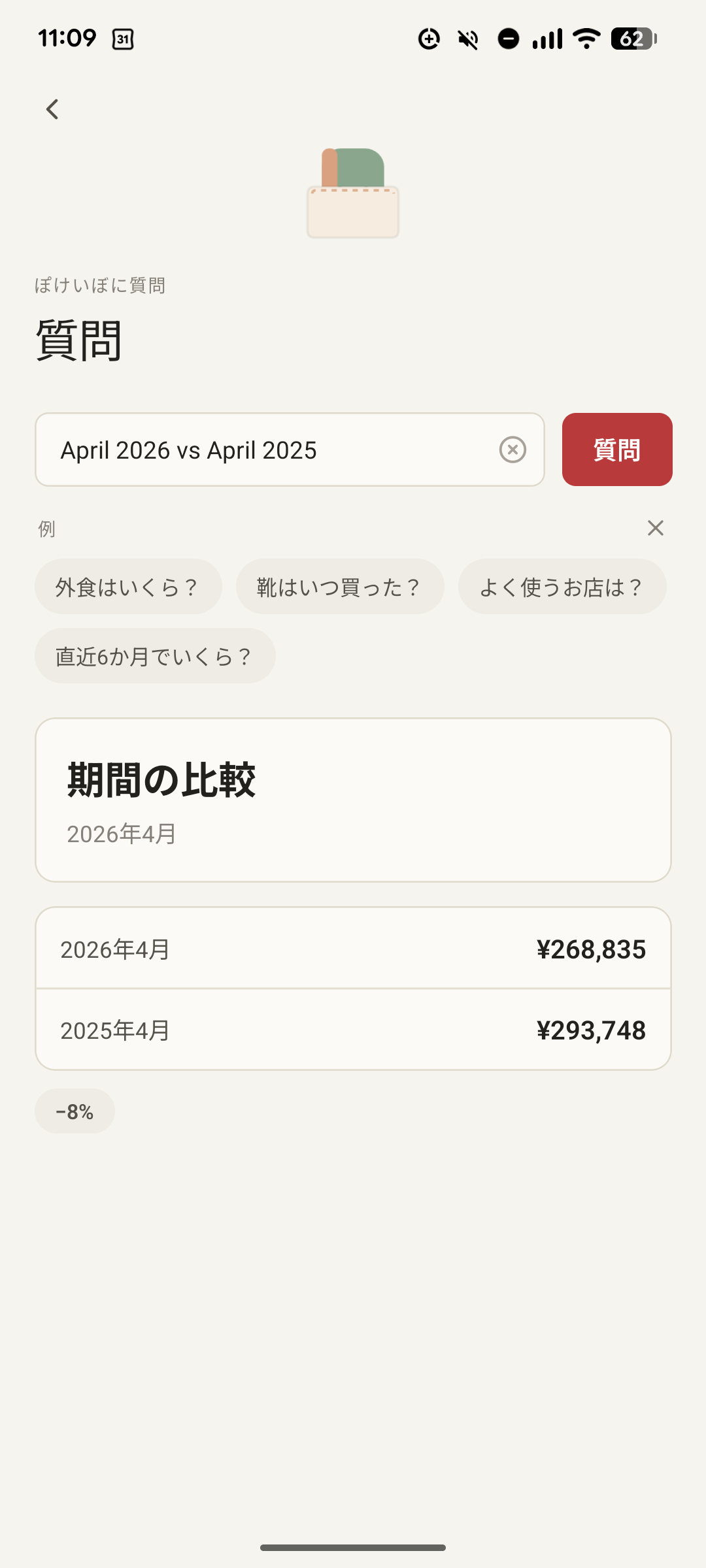
- 先月と今月、どうちがう?——二つの期間をくらべる
日本語のまま、たずねられる
日本語は単語のあいだに空白がありません。ぽけいぼは質問をいったん語に分けてから読むので、「靴はいつ買った?」のような短い問いも、ふだんの言いまわしのまま通じます。半角カナや、話しことばの数字にも対応します。
さらに、取引につけたメモや、レシート写真から読み取った文字も検索の対象です。「あのとき買った、あれ」を、ことばのかけらから手繰り寄せられます。
わからないときは、推測しない
意図がはっきりしないとき、ぽけいぼは適当な答えを出しません。読み取れた条件をそえて、ひとタップで選べる候補を返します。静かなアプリは、勝手に決めません。
端末のAIを使う(任意)
いちばん新しい iPhone には、Apple の AI が端末そのものに搭載されています。お使いの機種が対応していれば、設定に 「Smarter Ask(端末内AI)」 という項目があらわれ、好きなときにオン・オフできます。はじめはオフ、使うかどうかはあなた次第。そして「きく」のすべてと同じく、このAIも端末の中だけで動くので、データはどこにも送られません。オンにすると、より自由な言いまわしにも対応します。オフのままでも、組み込みのルールがすべての質問に答えます。
対応しているか迷う必要はありません——設定にこの項目が出ていれば、対応しています。条件は、Apple Intelligence に対応した iPhone で、iOS 26 以降であること:
- iPhone 15 Pro・15 Pro Max (標準の iPhone 15 / 15 Plus は非対応)
- iPhone 16 シリーズすべて — 16・16 Plus・16 Pro・16 Pro Max・16e
- iPhone 17 シリーズすべて
いまのところ iOS のみ。Android にもいずれ(端末内の Gemini Nano で)対応したいと考えていますが、いずれにせよ、ごく新しい端末に限られます。
Ask your spending, in plain words
Tap きく/Ask — the character icon in the middle of the navigation — Type “How much on eating out?” and Pokeibo answers from your own statement. Ask turns everyday words into questions about your money.
And above all: that answer never leaves your phone. Reading the question and tallying the numbers both happen entirely on-device. No network. Your transactions are never sent to a server of ours. In fact we don't have any server! It is just the Pokeibo app and all is happening in it.
Many ways to ask
Ask isn’t a single fixed phrase — it answers the questions that come up naturally:
- How much did I spend? — a total, narrowed by period, category, or merchant
- When did I buy it? — find a specific purchase
- How many times? — a count
- Where do I spend the most? — merchants, biggest first
- This month vs last month — compare two periods
Ask in natural English
Use normal English.
If you ask in Japanese : Pokeibo segments your question into words before reading it. Half-width kana and spoken-style numbers are handled too.
Questions are treated semantically as well as it can.
It also searches the memos you add to a transaction and the text read from your receipt photos — so you can find “that thing I bought” from just a fragment.
When unsure, it doesn’t guess
When your intent isn’t clear, Pokeibo won’t invent an answer. It shows what it understood and offers one-tap chips to pick what you meant. A quiet app doesn’t decide for you.
Use your phone’s built-in AI (optional)
The newest iPhones carry Apple’s AI on the device itself. When your phone supports it, a setting called “Smarter Ask (on-device AI)” appears in Settings — switch it on or off as you like. It’s off by default, it’s entirely your choice, and like everything in Ask it runs on the phone: nothing is sent anywhere. With it on, Ask handles even freer phrasing; with it off, the built-in rules still answer everything.
You don’t have to guess whether your phone qualifies — if the setting appears, you’re supported. It needs an Apple Intelligence–capable iPhone running iOS 26 or later:
- iPhone 15 Pro and 15 Pro Max (not the standard iPhone 15 / 15 Plus)
- Every iPhone 16 — 16, 16 Plus, 16 Pro, 16 Pro Max, and 16e
- Every iPhone 17
It’s iOS-only for now; we hope to bring it to Android later (via the on-device Gemini Nano), but it will always be limited to the most recent devices.