

Built around the CSV
PayPay Card lets you download your monthly statement as a CSV. Pokeibo takes that file and turns it into a kakeibo — categorized, totaled, and ready to read in a few minutes.
~ 3 minutes per monthBeta The Android closed test is live — testers get a free year.
Become a testerPokeibo turns your monthly PayPay Card statement into a quiet, organized kakeibo. Import once a month, review where the yen went — or just ask — and put the phone down.
Pokeibo is an independent app and is not affiliated with, endorsed by, or sponsored by PayPay Corporation, PayPay Card Corporation, or SoftBank Group. "PayPay" and "PayPay Card" are trademarks of their respective owners.
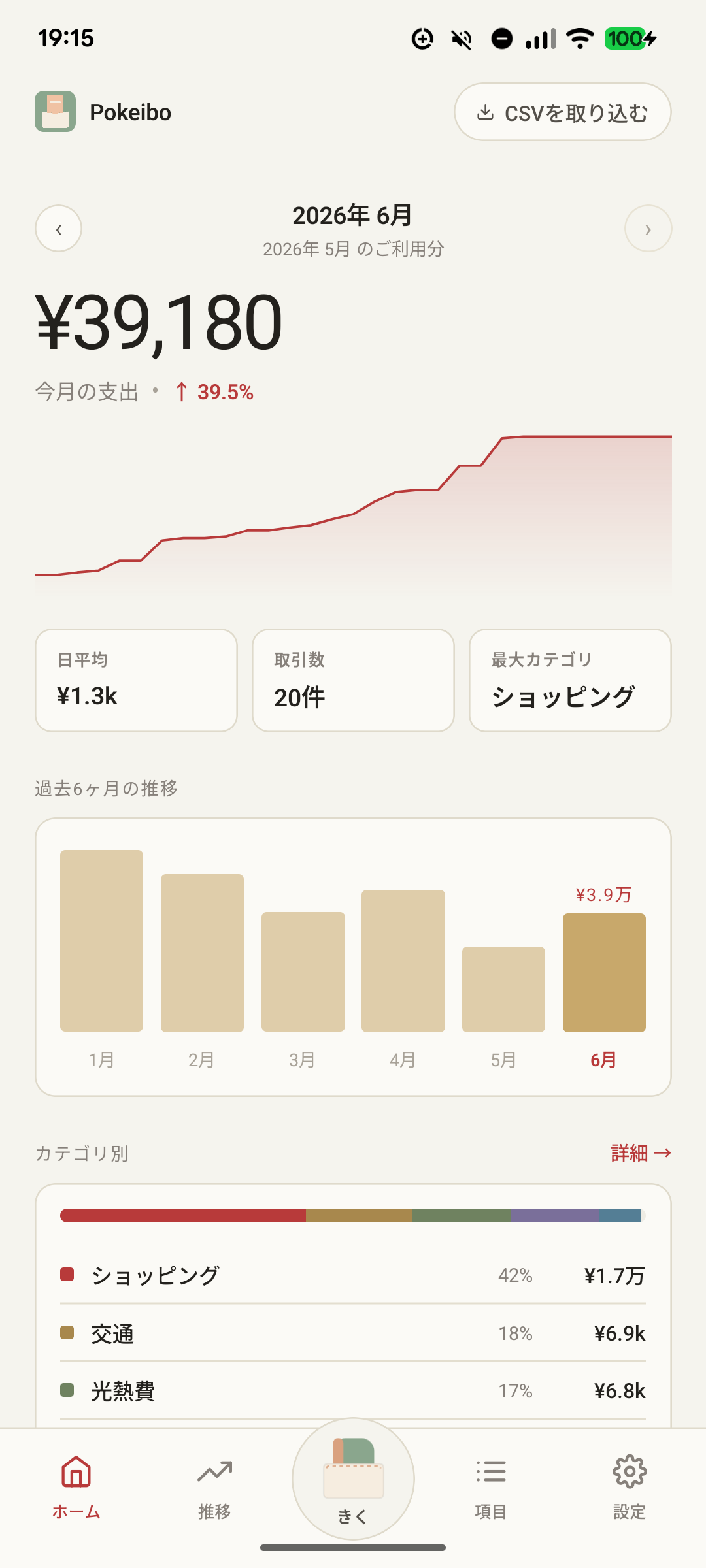
Most budget apps shout. Pokeibo whispers — one import, one review, no streaks to break.
PayPay Card lets you download your monthly statement as a CSV. Pokeibo takes that file and turns it into a kakeibo — categorized, totaled, and ready to read in a few minutes.
~ 3 minutes per monthTransactions never leave your device. No accounts, no servers. Classification happens on the phone in your pocket.
On-device · no telemetryNo streaks. No badges. No "don't lose your habit!" pings at 11 pm. Miss a month — Pokeibo will still be there when you come back.
No ads · no trackingHere's the exact path to the monthly CSV. Once a month, then you import it.

Open your card — tap カード.
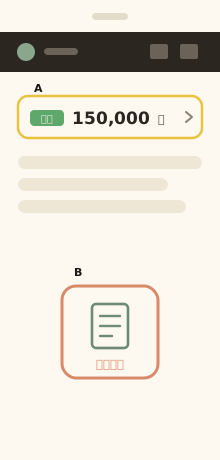
Tap 請求明細 (or the 確定 amount).
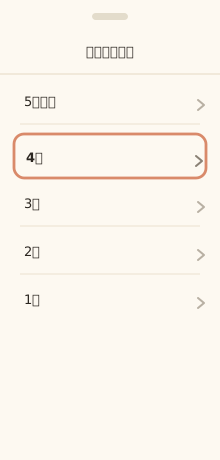
Choose the month you want.
Open this screen directly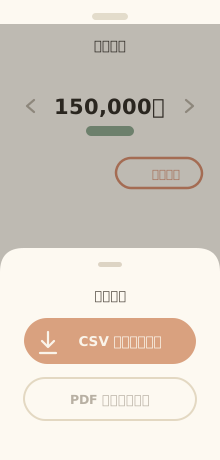
明細出力 → CSV ダウンロード.
Three steps, three minutes. Then a month's worth of clarity.
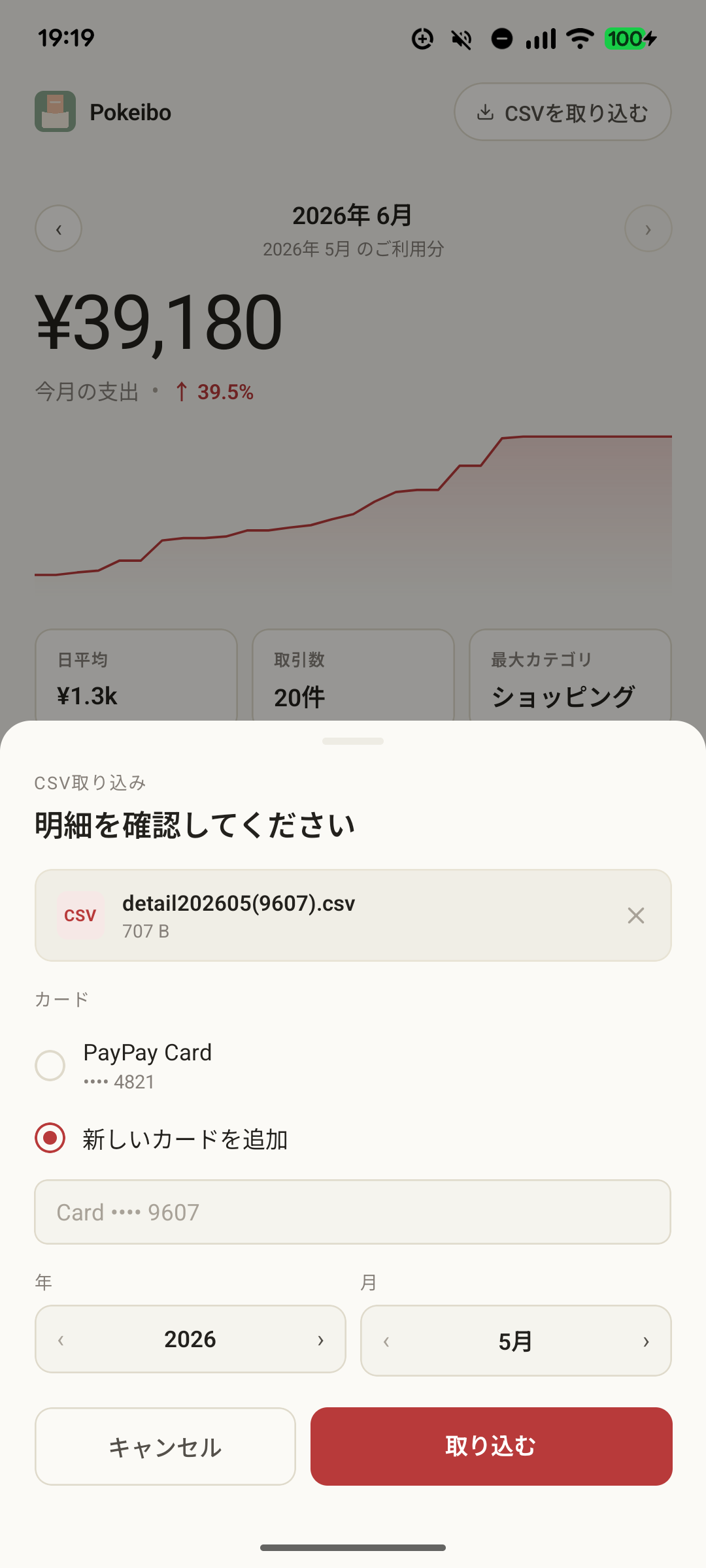
One tap to pick the file. Pokeibo reads it — both your direct card purchases and QR payments via PayPayクレジット — normalizes the merchant names (yes, even the half-width-katakana ones), and sorts everything into categories.
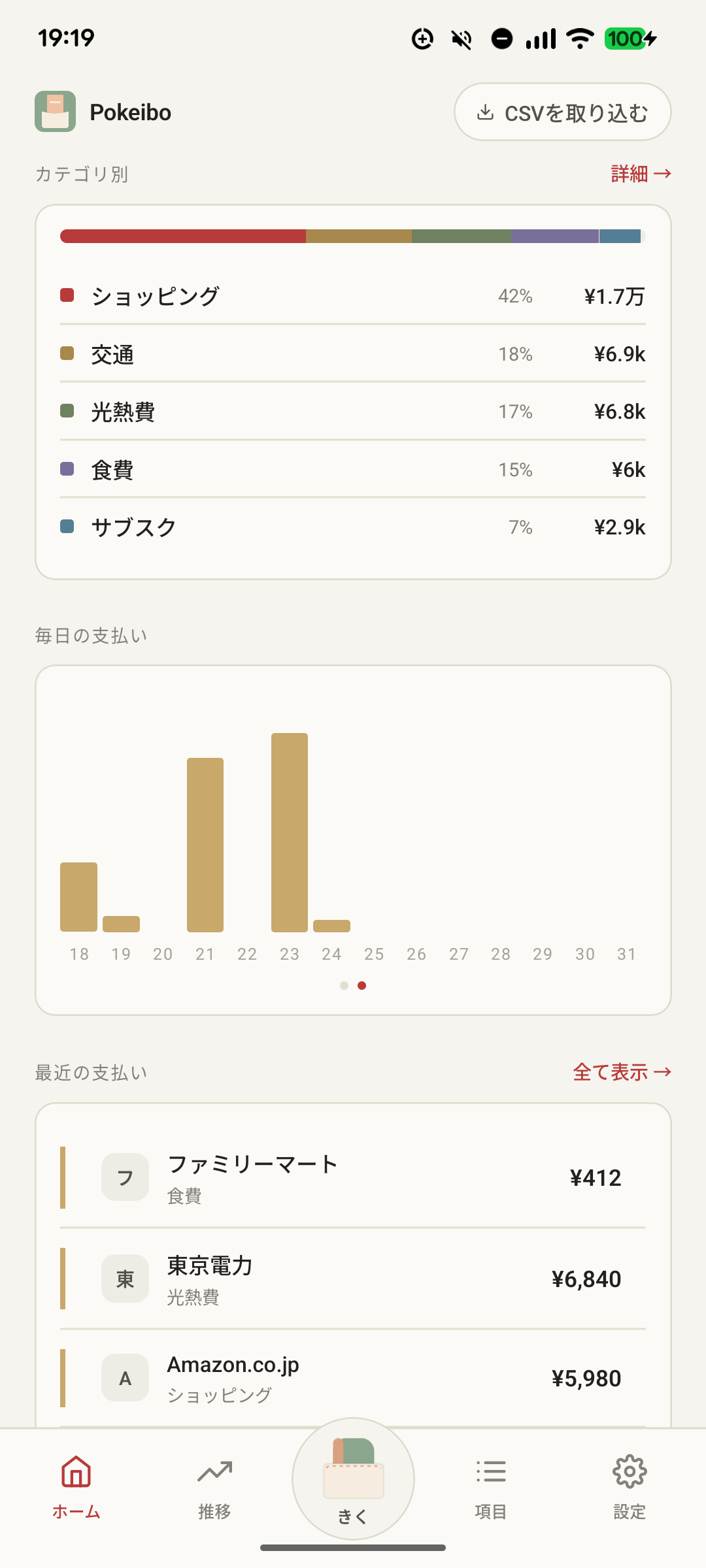
Open the monthly view. Convenience stores, restaurants, transport, drugstores — all sorted, all yours. Re-categorize anything that's off; Pokeibo learns and remembers.
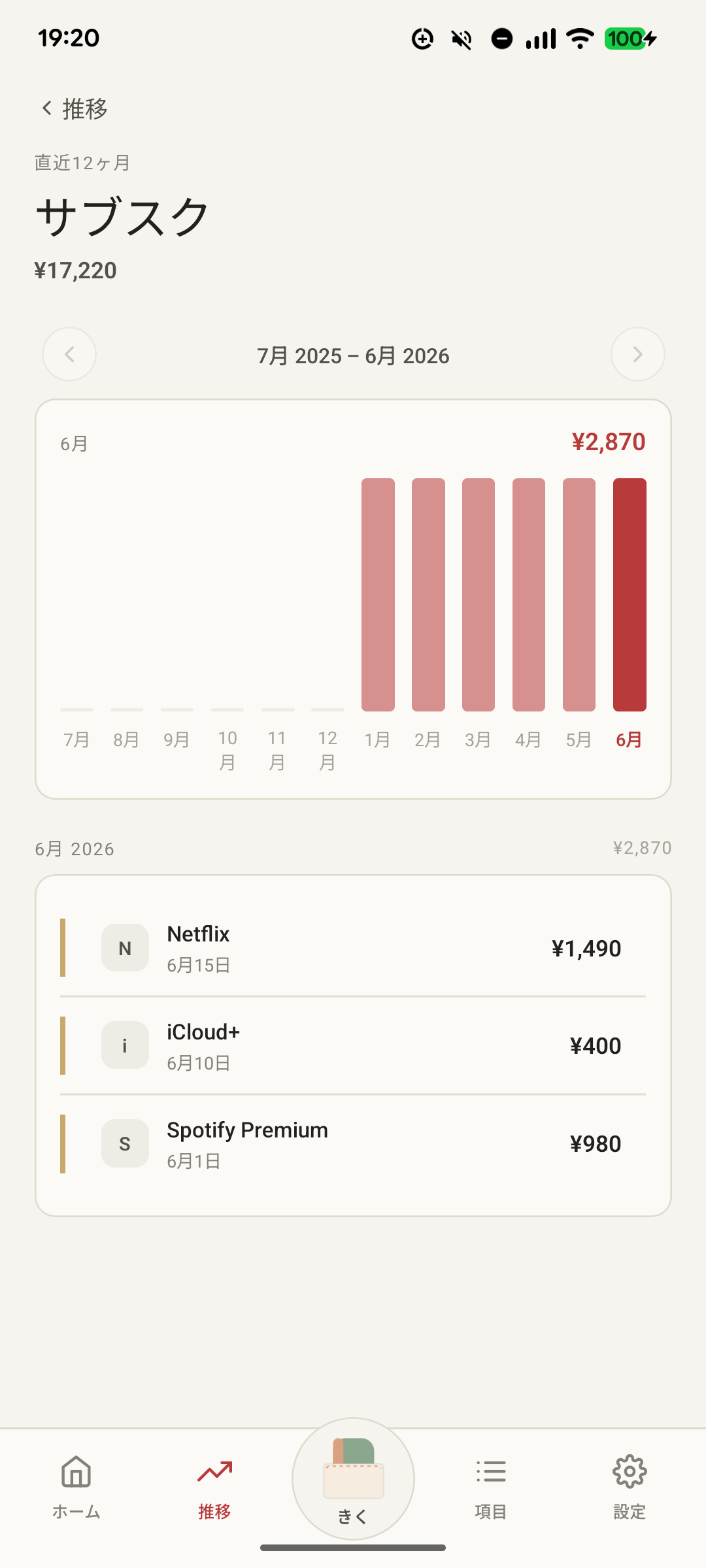
Drill into any group — subscriptions, dining, transport — and watch twelve months at a glance. Spot what's creeping up before it adds up.
The product has a small surface on purpose. Each "no" is a feature.
"Don't break your streak!" is a manipulation, not a feature. Miss a month, miss a year — Pokeibo will still be here, with no guilt screen waiting for you.
Pokeibo never pings, dings, badges, or chirps. The only reminder is the icon on your home screen.
There are no servers to log into. Your transactions stay on the phone in your pocket — we never see them. Anonymous crash reports help us fix bugs, and you can turn those off in Settings.
No badges for "great saver." No coins to collect. Spending money is already a feeling — Pokeibo just lets you organize it.
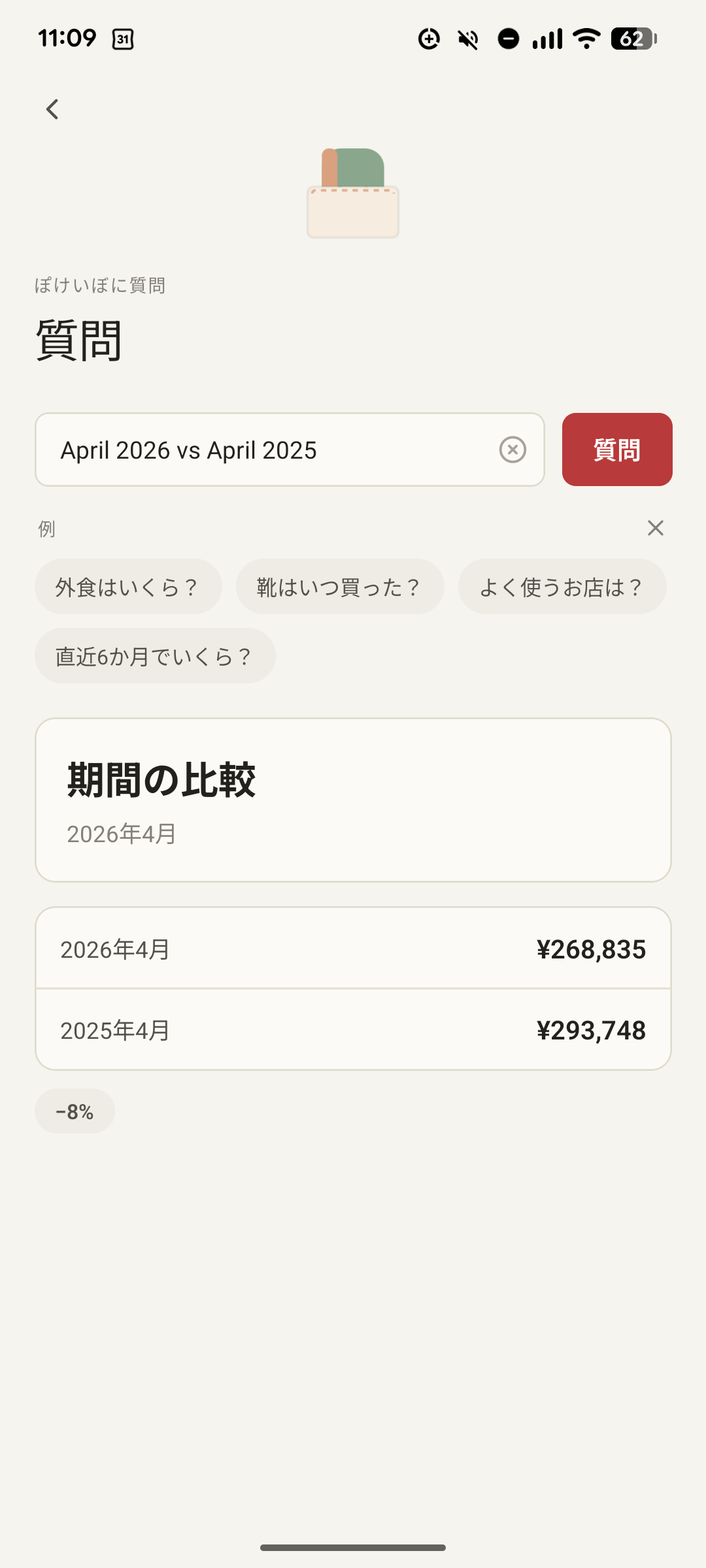
Type a question in plain words and Pokeibo answers from your own data — entirely on the phone, with nothing sent anywhere.
No free tier with crippled features. No upsells. Try it for 14 days; subscribe if you want to keep using it.
14-day free trial on iOS and Android. v 1.0 ships summer 2026. No account needed — install, import, and read.
A solo studio in Miyazaki, making small apps with patience.

Ohayo Studio (おはようスタジオ) makes small apps — the kind you open once and put down, not the kind that wants your day. After years of client work, Pokeibo is the first product released under the studio.
おはようスタジオは、宮崎県日南市を拠点とするソロスタジオです。一度開いて、あとはそっとしておけるような、小さくて落ち着いたアプリを作っています。これまでクライアントワークを続けてきましたが、Pokeiboはスタジオ初の自社プロダクトです。